


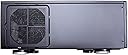
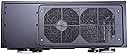
GD08B
Product ID: 1216328
Details
- BrandSilverStone
- Case TypeTower
- ColorGD08B
- Cooling MethodFan
- Fan Size60 Millimeters
- MaterialAluminum
💾Up to 12 drive bays storage
🔧Supports E-ATX & SSI-EEB boards
❄️Positive air pressure cooling
Buy anything from 5,000+ international stores. One checkout price. No surprise fees. Join 2M+ shoppers on Desertcart.
Desertcart purchases this item on your behalf and handles shipping, customs, and support to Uruguay.
🎬 Elevate your home theater PC game with SilverStone’s silent powerhouse case!
The SilverStone GD08B is a premium home theater PC case featuring a positive air pressure cooling system for quiet, dust-free operation. It supports large motherboards including Extended ATX and SSI-EEB, and can house up to twelve drives, making it ideal for high-capacity media servers. Its sleek aluminum front panel and adjustable LED indicators offer a refined aesthetic, while quick-access dust filters ensure easy maintenance. Designed for professionals and enthusiasts who demand performance and style in their entertainment center.


| ASIN | B007X8TQYI |
| Antenna Location | Business |
| Best Sellers Rank | #968 in Computer Cases |
| Brand | SilverStone |
| Case Type | Tower |
| Color | GD08B |
| Compatible Devices | Motherboards (Extended ATX, SSI-EEB), Graphics Cards (up to 13.6 inches) |
| Cooling Method | Fan |
| Customer Reviews | 4.3 out of 5 stars 377 Reviews |
| Enclosure Material | Aluminum |
| Fan Size | 60 Millimeters |
| Global Trade Identification Number | 00844761008888 |
| Hard Disk Form Factor | 3.5 Inches |
| Internal Bays Quantity | 5 |
| Item Dimensions D x W x H | 16.73"D x 17.32"W x 6.89"H |
| Item Weight | 7 Kilograms |
| Light Color | Blue |
| Manufacturer | Silverstone |
| Material | Aluminum |
| Mfr Part Number | GD08B |
| Model Name | CS-GD08B |
| Model Number | GD08B |
| Motherboard Compatability | Extended ATX |
| Power Supply Mounting Type | Side Mounted (Desktop) |
| Recommended Uses For Product | Business |
| Supported Motherboard | Extended ATX |
| Total Expansion Slots Quantity | 7 |
| Total USB 3.0 Ports | 2 |
| Total Usb Ports | 2 |
| UPC | 803982992123 844761008888 846764214631 154923634542 863121544217 807320220794 |
P**O
Looks good in my HT rack. Update
OKAY UPDATE ON THE BUILD IS AT THE BOTTOM OF THIS REVIEW. I just had this delivered. This is the first part of the review. I unboxed it. Put it on my home theater rack. I have a 3 piece rack. Two towers left and right they have 20 inch wide 18 inch deep shelf. The center part of my rack hold the tv it has 2 drawers and 2 wide deep shelfs . This unit needed the 23 inch wide shelf that is 24 inches deep the ones under my tv. It seems well made. I read the manual. This unit needs a manual to build your pc. The inside is not standard rack htpc case. The manual is a p.i.t.a. it has 6 or 7 languages on each page for each step. It is not printed on the best paper and is hard to read. I have one real complaint the lid which needs 2 screws to remove should have used 2 thumbscrews or at least give me a few thumbscrews with the unit just on case I want that option. This is all I got right now. waiting on parts below. I ordered an Intel i7 3770t cpu from another seller. A special heat sink from prolimatech the Samuel 17 from another seller. An intel mobo from amazon. the one with thunderbolt. TO UPDATE THIS IS THE MOBO AN INTEL [...] I ordered a few 180gb intel ssds from amazon. SSDSC2CT180A3K5 I ordered a Sapphire hd7750 Ultimate GPU fanless from amazon I ordered Some samsung ram 4x 4gb sticks Model MV-3V4G3/US from another seller. I ordered a seasonic fanless psu from another seller. 400 WATT MODEL I ordered a samsung blu ray player from amazon SHB123L/RSBP I ordered some scythe 120mm 500rpm fans from amazon SY1225SL12SL I also grabbed windows 7 professional oem from amazon. A card reader from rosewill. last a dvr/tv tuner from another seller. This will be a hi end HTPC. This is a money is not the object build with quiet being first priority I will detail the build once all parts come in. ______________________________________________________________________________________________________________________________________________ My build is complete The good news first; FIRST OFF THE BUILD IS ALL THAT I COULD HOPE FOR AND A TOTAL SUCCESS. Second it was hard very hard to get the blu ray drive to work properly. I read the instructions a few times and I knew I need to slide a small plastic part about one inch on a rod designed to allow this to happen. I could not do it. I took the entire face plate apart (overkill). I did need to remove the dvd/bluray drop down plate . once i did this I could slide the plastic push plate 1 inch this lined it up to the push button of the samsung bluray player. next the depth of the blu ray player must be perfect (under 1/16 of an inch) if you have the blu ray player to close to the face plate the plastic button gets pushed by the part you slld to line up with it. Of course if you set the player to far from the face plate you won't trigger it by pushing the button. Last but not least you need to screw the player in so it never moves over time. there are 4 screws to do this. of course if you did it just a tiny bit wrong you have to take it apart and adjust it. All of this added hours to the build. One other problem I like to use grills on the inside of all my fans. one fan had no clearance in one corner to allow a standard grill. (one of the blu ray players screws) I needed to use a screen mesh type fan that I have reviewed on the 18th of JUlY The rest was easy. My goal is a powerful quiet htpc that will run handbrake, play a blu ray ,stream netfilx, youtube, record tv , store a lot of info . The cpu works really well it never goes over 42 watts. my fans all run in the 300 to 550 rpm range. I can't get the machine to go hotter then 62c. the only noise it makes is the blu ray player during a quiet part of a movie My WEI numbers are cpu 7.7 ram 7.8 2d video 7.4 3d video 7.4 ssd 7.9 my geekbench 64 bit score is 14400 now if you want better gaming get yourself an hd7850 msi makes one amazon sells it. you would be able to drive a 1080p screen to pretty much max settings on most all games. Since I wanted quiet and don't game much the sapphire hd7750 is pretty good for me.____ ______________________________________________________________________________________________________________________________________________________________________________________________________________________________________________________ CPU = INTEL 3770T LOW POWER FAST you could use the it3770k for gaming [...] MOBO = [...] Ram = [...] power supply seasonic 400watt fanless [...] gpu sapphire hd 7750 ultimate [...] you could use the msi r7950 for gaming h[...] i ended up with a crucial m4 512gb in this machine [...] but the ones below are fine. ssds i like crucial m4 [...] I like samsung 256gb [...] i like intel 180gb [...]
E**!
Masterfully designed case...BUT NOT FOR BEGINNERS
*Edit* Apologies, but I failed to mention that if you are having difficulties with the disc bay door functioning correctly, make sure that the little plastic piece on the inside of the case lines up with the button on your drive. I also saw complaints regarding the disc bay doors not functioning and I am certain that 99% of the time, it is simply because they did not line it up correctly. On another note, there is a tiny led that lights up on the front. Silverstone was smart enough to provide you with a switch just under the light for those of you who would prefer it off. Needless to say, it is due to little touches like this that made me fall in love with the case. Anyway, it goes without saying that there are a number of misconceptions out there regarding this case. If you have any questions, please feel free to ask. I will also try to put up a video review should there be any naysayers... *Original Review* For several years I was eyeing this case for my next pc build and I am glad I did. It is both aesthetically pleasing and smartly designed. It is even large enough to fit a gigabyte 970 G1, perhaps the largest card out of all the 970's. That's especially important, because I've seen reviews on youtube with supposed "expert" case builders claiming that you can NOT use a large card in this case. However, and without naming names, those reviewers rather stu--err...those reviewers fail to realize that you are supposed to install the graphics card BEFORE you put in the drive cage. Yes, this will take up a space or two for your hard drive, but even if you're building a several terabyte gaming rig, you will have plenty of room in all of the other spaces. That said, you should know this thing is MASSIVE for an HTPC case and I would only recommend it to HTPC builders who intend to do a lot more than just stream some HD movies. For me, I am a gamer, a recording musician, a writer, and a video editor. So I needed a case that could not only handle high performing components, but look nice underneath my 46 inch television (I stopped using monitors years ago). This thing fits the bill, but you need to make sure you have room for it first. For me, it just barely fits on my television stand. But good grief, does it look right at home under all my other high end entertainment devices. Seriously...as far as computer cases go, you won't find anything prettier. But size and beauty are merely superficial qualities. It's on thing if you can fit the components into your case. It's another entirely if they run cool enough for you to actually GET any performance out of it. This means a case needs to be able to stay cool even when the parts inside are under heavy load. So...how does the GD08 manage in this regard. Before I answer, let me share with you the system specs of my new computer. i7 4790k Intel CPU cooled by a Noctua NH- L12 Asus Maximus VII Hero Socket 1150 motherboard Samsung 850 Evo 250 gig SSD WD Black 2 TB HDD Gigabyte GTX 970 G1 Cooler Master 850 watt PSU Corsair Vengeance Pro 16 gig DDR3 Ram This is where you really see just how smartly designed this system is. As you can see from my components of choice, I have every intention of overclocking where need be. This case makes it possible. My processor comes with a base clock of 4.0 Ghz, but I currently have it running at 4.5 Ghz. My GPU has both the core clock and memory clock running near 980 GTX territory. While some credit certainly belongs to my cpu cooler and Gigabyte's Windforce cooling setup, without adequate airflow in the case, those factors become irrelevant. The fact is this case is cool...really cool. It accomplishes this through the use of two 120 mm intake fans mounted at the bottom of the case and 1 120 mm intake fan on its left side. The psu is set up so the it pulls air in from the right and expels hot air from the back. There is also room for two more 120 mm fans as well as 2 80 mm fans. Needless to say, I chose to fill those spaces up as well. So far, nothing has gone above 40 degrees Celsius under idle (CPU has actually yet to go above 36) and under strain, everything stays within a perfectly acceptable range of 70-80 degrees. To top it off, Silverstone has put in place numerous easy to remove, and easy to clean, dust filters. However, there is certainly one thing you should know. Like most other HTPC systems, cable management is a nightmare. But so long as you are smart about it, you WILL be able to fit everything in your system without have to shave off bits and pieces as I've seen others mention and complain about. There is a little cable management box that is placed along side the two bottom intake fans, but don't expect it to hide away larger cables like the power cable for your psu. Aside from that, they also provide you with cable hooks that you can stick on anywhere you please in the case. Still, it is going to be a bit of a puzzle for you, especially if you choose to use more high end components. But it's manageable. All in all, this case is most definitely a premium product, in look, feel, and design. BUT...but, but, but....I would NOT recommend this case to someone who does not have prior experience building their own systems. This is not a case for beginners by any means, but it IS a case that you can be certain will house your every whim and need, so long as you know what you are doing.
M**F
Great case! tight fit for various components but if careful, you should be good to go
Nice fit for everything I needed to plugin to this case. The only minor complaints (holding me back from 5 stars) I have are: 1. the top support braket is hard to work with when doing general maintenance (e.g. doing cleaning or replacing things once you initially have things connected). I also wish there were screwdriver-less screws for at least the top part of the case. Then again, the standard thing once you have the cover off with most vendors is that you are generally finding screws for everything else (holding in CD/DVD/Bluray, cards, etc.). 2. Some of the screws are a bit small (need #1 phillips whereas #2 is the more common size) - plus, some are shorter vs. longer lengths depending on where you need to screw them in - once you get it discovered where things go, be sure to remember locations when it comes to length and put the screws back where you put them in/fit them. 3. It might have been nice to plugin some kind of 3.5 media reader (have a bluray drive in the 5.25 slot). Not really a fault I can knock against SilverStone since the pictures let me know what I was getting and I did compare this case to others from them and other vendors. But, with this age of bluetooth, wifi and other transport options (which may be a bit slower than plugging in a card but... not that big of an issue) this is pretty minor. I knew what I was getting into when I ordered it. 4. Obviously - be sure to never have the case locked when trying to eject a CD/DVD/Bluray (keep mine locked to keep the little kids out but sometimes I forget a disk is in it). This is both bad, and good! not really a complaint and its obvious what you're getting from the pics. 5. Built-in fans are a bit noisy. For me its a non-issue as this unit is in a separate room from where listeners are - just something to be cautious of if using for HTPC. Very happy with everything else. The case looks very SLICK/SLEEK! Very happy with the construction of it (its kinda heavy feel to it - make sure what you place it on has enough weight carrying capacity). Have mine connected with 2x 2TB drives and the hot swap seems to work well. Not using onboard RAID, doing basic system software versus "real data" on second drive to separate my files (have a separate backup system). I will say you may have troubles trying to get it to work with onboard RAID controllers (I tried to get this to work with a UEFI enabled motherboard to boot to a 4 TB drive - striped - and had difficulties). I tried to get this to work, but ended up giving up - was hoping windows 8 works better when I upgrade to that as large boot drives seem to be better supported. I do like the height, it fits standard height PCI/PCIe cards. I also fit a standard ATX power supply. Note some power supplies vent thru top (mine vents in the back) so be careful you look at that.
G**N
Monolithic Media Center
To justify rating, I am quite biased on the premise that this computer case fit perfectly within my aesthetic and accomplished the role no other case I've been able to find has. A friend of mine also bought this case, so I have twice the experience building inside of it, and both of us had very different experiences. Different good. The overall construction was as premium as I expect from Silverstone, and the attention to detail was very nice to explore while building. The modularity of the drive sled was a surprising touch that leaves a few options depending on your build. The space is less than you get from a full atx case, and the difficulty matched as expected. With enough patience and planning it worked fine. My aforementioned friend had a liquid cooler he wanted to incorporate, and we were able to do so with some gentle modifications of the drive sled assembly. Gentle as in drilling out rivets. This turned out very well for him, and while we technically destroyed something, we retained at least 3 of the removable drive mounts and made enough room for a 120mm radiator. The loudness of the fans isn't more than I would expect, and I personally sit quite close to the computer. If used as I see to be intended in a stereo stand, rack mounted as my friend has his, or in a media console, the sound should be far enough away that it's irrelevant. The options for cooling give you more than enough to consider. I have added an extra Noctua exhaust fan, and am running positive pressure. My graphics card is a bit '5 degrees or so' warmer than open air, but it is high performance and often pushed to the max with no issue. To conclude, the monolithic nature of this case embodies a clean and professional aesthetic that allows it to mingle with expensive stereo amplifiers, and professional rack mount servers and sound systems. While somewhat tight the build space is forgiving and accounts for the many different ways someone can utilize a computer. If you are on the fence about the quality, do not worry. If you want something to compliment a professional atmosphere, go for it. Notes: CPU coolers are big! I have a Noctua NH-D9L inside of this case, with an extra 80mm Noctua exhaust fan. It fits wonderfully and keeps everything nice and cool. Larger graphics cards will determine what hard drive bays you use. You can drill out the rivets for custom hard modding.
A**I
Hard to install but the end result is good
I wanted to build a gaming machine that can serve as a multimedia player as well. I bought this case because I wanted to install a lot of HDDs and a decent GPU. I placed it in my home theater table (a small cheap besta from ikea). hooked through onkyo receiver to my HDTV. can't be happier with such a powerfull steambox that fits in such place. I hardly need anything else around the TV now other than my new toy. pros: + saved space. + looks nice. + temps are ok for such a tight closed case. + high quality material. especially the front door with the cool finishing. + room for graphics card up to 11 inches (although I'd recommend a GPU of 10 inches or less since that last inch is all what you have left in this case for cable management!) + hot swap drive bays making life easier to add HDDs without having to go through the painful process of openning the case and installing the drive internally. cons: - annoying blue led light around the power button. I wish there was a solution to reduce the glare. - one of the hot swap bays indicator light isn't working at all. only the light isn't working. the drive and the drive bay work just fine. - very difficult to install in general. it wasn't designed for desktop therefore you should consider that you won't be building in phases. build your system completely then shut the cover for a year or whatever time you're happy with. I'm worried already about when the time comes for dusting it and having to remove the fans filters. - power supply clearance is limited. has to stick to specific PSU which affected the build budget. - poor cable management. not many hooks to use zip-ties with. I had to use the (empty) extra fan grill to tie some cables to. if I had to add some fans there in the future, I don't know how I'm going to route these cables. - this case resembles the exact opposite of "screwless design". there are many screws to unscrew and screw back. some screws were stripped before I touched them and had to be removed then replaced. - I went for max GPU size possible. it fit in just right. but the clearance for the height of the GPU is not right. the GPU is 4.38" high and it fits fine without the power connector but the connector itself extends a little bit above the top cover's level even after I bent it mercilessly. when I was done fixing the parts in place and was ready to close the case, I had to press the power cable of the GPU with the case cover fearing that I'd crack the mobo with such pressure. luckily nothing bad happened. the cover is closed but is slightly bent at the GPU power connector location. I'm not sure if this won't cause me trouble in the future - the hot swap cage is the most painful part to deal with while installing. It has a plastic part underneath it that acts as a suspension against the bottom of the case (I suppose to reduce the vibration and clear a path for the air to be pulled out of the case). this plastic part sets very near to the PSU making it a nightmare to route all the power cables around it. why didn't silverstone design that plastic thing with a whole in the middle to make room for cables? Bottom line, if you are experinced with building PCs and cable management. and you also want an HTPC that has decent airflow and can hold a 10"+ GPU & several HDDs. then buy this case. otherwise, look else where for any alternatives that are easier to deal with and can serve you the same way as this one after installation.
A**R
A challenge but the final product is worth it
This box was a challenge. It is definitely not the easiest system I built. However, the final product is what ultimately counts and it looks great and that is why I gave it 5 stars. My setup: Asus Gryphon Z87 MB Intel i7 LGA1150 G.Skill DD3 1866 8mb x 2 Zalman cnps8900 low profile CPU cooler BluRay Drive Corsair HX620W Modular PS Silverstone 3 dial FP33 rear fan controller SSD drive Tips: 1. Keep track of all the screws and where they go. There are several different size/threaded screws for the DVD drive support and hard drive bays. I think Silverstone could have standardized the screws a bit more. 2. Plan your system components ahead of time. This box is tight. Power Supply: The biggest problem is the power supply. I used a standard ATX PS I had lying around. It was a Corsair modular HX620W. When selecting a PS, make sure it conforms to the standard ATX spec of 15cm deep and the modular cables come out the bottom of the PS (more on that below). I understand the 14cm Silverstone PS needs to be inverted so the fan is up. I like the fact that my Corsair fan faces down and I think this makes more sense with the case design since the PS fan opening is on the bottom. If you get a standard ATX PS, make sure the modular cables come out of the bottom of the PS (closest to the fan). Go to Newegg and look at where the cables come out of the Corsair PS I used so you can compare it to ones you may select. This is important since there is no clearance at the top part of the power supply due to the swappable drive bays. UPDATE 2/14: The PS I used is discontinued and hard to find. However, in the comments section of this review there is a comparison image of my PS and a SeaSonic that looks like it would work fine. CPU Cooler. There is very little space between the CPU and the disk drive. You can either use the standard Intel cooler or a low profile cooler. Or you can forgo the DVD drive and use a taller cooler. I like the Zalman cnps8900 but like most low profile coolers, you need access to both sides of the MB to install it. If you go this route, don't install your MB into the case before you install the CPU and a low profile fan. Cable Management. This is challenging. The only real usable space for the cables is in between the DVD drive and hot swappable drives. If you are using anything other than the integrated graphics and want video cards or other cards, be prepared for an even bigger cable management challenge. It will also be a space challenge to use anything other than a 2.5" drive in this case (excluding the swappable drive bays). I think Silverstone could have made the front panel cables a lot shorter. They are far too long even if the MB connections were at the very back of the case. I didn't deduct a star because you are going to have a mass of cables in between the drive bays anyway. Fans. The stock fans at full speed were louder than I wanted. The 3-fan Silverstone Fan controller with rear dials fixed that. This makes the cases nearly quiet. 3. Order of operations. There are probably many ways to do this but after I tested the MB, I took both bays out of the case and installed PS first. Outside the case, I installed the CPU and fan. Then installed the MB/CPU/Fan assembly in the case. Then the DVD drive. Then I did a lot of cable tying. I screwed the SSD to the underside of the swappable bay outside the case with cables facing the motherboard. I plugged in the SATA cables to the MB before I installed the swappable bay drive. 4. LED. The blue LED is bright on the front of the case. Before you install anything, you may want to dip the 3 LEDs in flat black paint to dim them down for typical HTPC installations. The last thing I want to see is neon bright blue LEDs in my home theater room. Accessing the LEDs and the plastic on/off button housing is easy with nothing in it. It was a couple of screws and it pulled out from inside the case. You do not want to decide to do this after you build your system. 5. Door. I would have preferred a smaller Silverstone front logo and I probably could have done without the front lock. However, you don't need to engage the lock for the door to stay up. There is a magnetic catch. I also like the fact that there is some resistance in the mechanism so you don't have the door just flop down when you press on it. It has a subtle glide to it. I like that Silverstone thought of that. In the final analysis, it was definitely a challenge to build due to size constraints. However, the final product looks great and I'm glad I got it.
C**L
Not just another PC case .... HTPC? Well ...
So I am going to let the cat out of the bag so to speak. I own FOUR of these cases and I have ELEVEEN computers in the house - ten of which are in Silverstone cases. Once you have built a computer and experienced the pleasure of working with these you will really not be satisified with much else. I have built dozens of computers for both mysidelf and for friends. Not sure exactly put I have at least 100+ builds. Regardless of the case, Silverstone products are designed to run your kit cool. It is all about air and I have never had a silverstone case where I was not able to provide more than enough air to keep things frig. Good news is that they can be very quite for real HTPC applications and still do a mighty fine job keeping temperatures down. I have four dedicated HTPCs in small form factor Silverstone cases and they also run very cool. I like my systems to run very close to the room temperature and every one I have built does at least that and some actually do better. I am using the GD08B case for SERVERS! The primary reasons are really very simple - 3.5 drives in a removable cage x 8! PLUS 2 x 2.5 (I use SSD for OS) PLUS 2 x 5.25 bays! Thats a lot of rotating metal and to keep all this nice and cool, 4 x 120mm fans desinged to create a positive air pressure AND trust me, it works. If for some reason you need very agressive cooling you can forgo quiet and get fans that move lots of air which is what I do. HEAT is the computers worst enemy - if you can keep them cool they will have a longer life. I put the maximum number of disk drives in these systems and I run Windows Server 2008 R2. I use Gigabyte and ASUS motherboards and these cases can take ATX motherboards with no problem. They are deep enough that you can use good quality CPU coolers with heat pipes though I gravitate to all copper coolers in the 2U or 3U configuration. There are two chassis exhaust fans on the back. Plenty of room to run cables and Silverstone makes some very nice power cables for the SATA 3.5 array that really clean up the interior. Once again the less clutter inside the better the air moves around and better cooling. This case is so easy to work with, it has plenty of room to allow easy configuration and it is built solid. This case costs more but when you unpack it the first time you will understand what you paid for. But the real joy here is those FANS - BIG ONES- and lots of them. All four of my cases run very cool - CPU temperatures for 100w silicon all run at <40C (not thermal margin real temperature) at 20% load. Motherboard temps are not much more than +2 to +5C over ambient temperature! I cannot say enough good things about the case - again I own 4 of them. They are worth every cent I paid and they look good, they run cool, they are quite, they have large storage capacity potential, USB3.0 front panel, and they are very easy to work on. And I put my money where my mouth is with a total of 10 Silverstone cases in the house. Don't just think HTPC when you are looking at these they make just about the best SERVER enclosures I have come across (assuming you do not need hot swap capabilities on local system). Everyone that I have delivered a Silverstone case too has been very happy. NOT THIS CASE but the smaller cases can be harder to build because the space does get cramped. I take my time when building and am anal about running internal cables and tieing them down. It all pays off with a good looking interior and a machine that lives long and prospers.
R**Z
Just what I needed!
I wanted a case that would fit into my home entertainment cabinet. The issue was case depth and this is one of the very few units that fit the bill. I also wanted at least 1 external 3.5" disk bay as I like to do my backups this way. A second one was a nice bonus - I can keep my movie library in one of these and remove it for safe keeping when on vacation or to take it with me to friends. The quality of the case is excellent and, as noted by others, the build is a bit challenging. But I'm an old pro, took my time and am very happy with the result. Pros: Size 2 External 3.5" hot-swap bays Good Cooling Quiet fans (Using MOBO to control speed - splitter cable required to run all 3 fans this way from my 2 mobo connectors) Looks Build Quality Cons: As noted by others, too many different types of screws. Could have been cut down to a total of 2 screw types with some planning. Not a lot of space for extra power cables. I HIGHLY recommend a modular power supply for this case. Electronics not up to the quality of the case: Uses old-fashioned Molex connectors for the 2 external SATA 3.5" bays (??) - I had to get SATA to Molex adapters!!! One of the pins on one of the aforementioned Molex connectors pushed its way out of the connector causing one external HDD to not work, causing me to tear the system apart to fix. In trying to store some extra cables, I inadvertently pushed too hard on the wiring behind the reset button. One of the wires broke, but the PVC insulator did not so it LOOKED like the wire was still connected (tear-down number 2!). Hot-swap SATA trays are too often a hit or miss proposition. I was hoping that Silverstone's quality reputation would bode well for these. Well, they are good, but not 100%, especially with drives over 1TB. NEVER ACTUALLY DO A HOT SWAP! Always power down before adding/removing drives. USE VERY CAREFULLY and back up your important data often. I have have especially bad luck with WD 2TB drives on several different hot-swap systems, including these. No problems with Seagate up to 3TB - so far. And finally; While the front door looks really nice, you have to keep it open if you want to use the front USB ports. With the door open, I can't close the door of my equipment cabinet. 2 great solutions, Silverstone: Make the door easily removable (I can't see how to do this without taking the case completely apart) or: Put some external USB ports on the sides of the case, 2 on each side. A solid 4 out of 5.
G**G
Five Stars
Solid build and looks great
M**S
What a pain
Let me preface this by stating that I am a professional PC builder. I have been a certified warranty repair technician for several large manufacturers over the years, and have built thousands of machines at a professional level during my career. With this preface stated, I would be quick to label this case as one of the more painful builds I have ever personally done. Although the case supports an ATX motherboard, it quickly became clear that this was a bad idea. As other commentors have mentioned, having a power supply that is modular is in-fact a requirement. If you intend to have a larger, three-fan GPU in this case, you will also need to modify the placement of the drive bays in order for the GPU to fit, reducing your total drive capacity. Cable management as part of the case design is simply non-existent. Any attempt to keep things clean and orderly will be met with frustration, as previously mentioned, this case does not work well with ATX boards. The quality of the case seems lackluster for how much this case costs, and it doesn't even come with enough fans to adequately cool the case, requiring additional fans to be added. Overall, this case has one primary benefit, and that is the style of the case. It's pretty much the only proper HTPC / rack-mountable case on the market, and it clearly shows. I would not recommend this if you are new to PC building. I would also not recommend this case unless you absolutely need the form factor this case offers.
Trustpilot
1 week ago
3 weeks ago