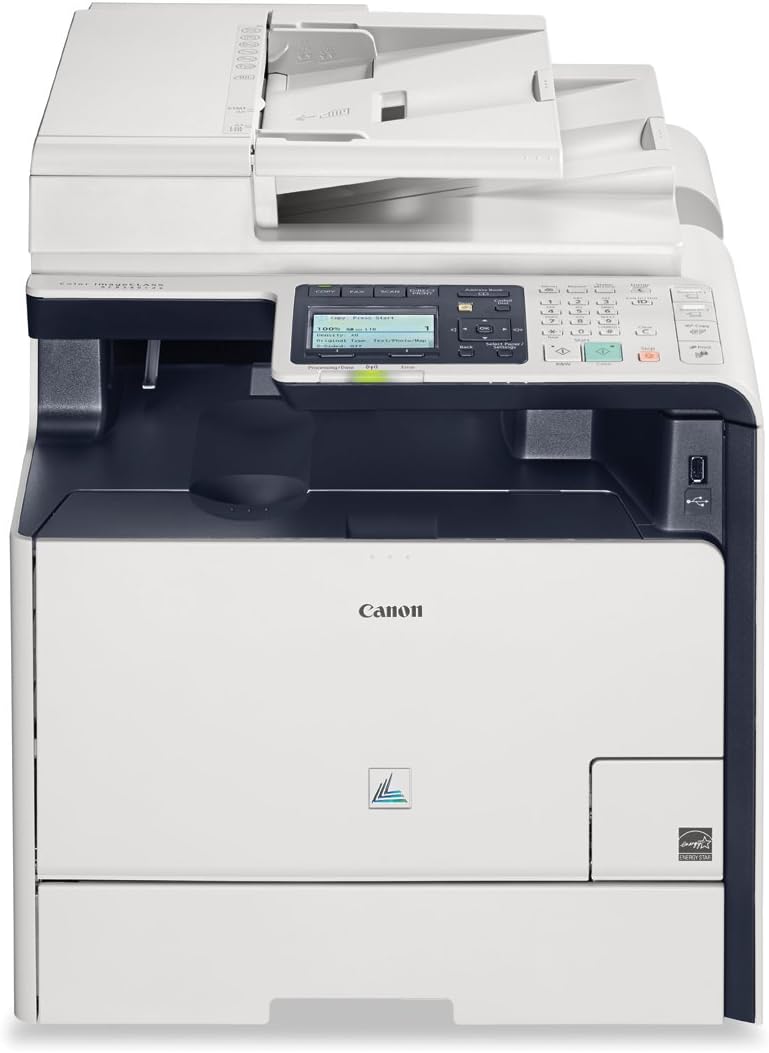
That's right, I said it!- I will be making comparisons to the Xerox 6505N MF color laser which this Canon MF8580Cdw is replacing.The main reason for replacing the Xerox after only 2 years whne it is in fine working condition, is that when you buy online, you sometimes make mistakes on the specs. and that can cost you in the long run...lesson learned!- I say there's is no replacement for testing a printer in-store to make sure it meets ALL your needs, just like there is no replacement for trying on a pair of pants BEFORE you buy it, unless you have many bottles of <insert favorite pain reliever here> on hand.- To start, the Canon printer arrived with some crushed styro packaging. This gave me pause. As well the Delivery guy left it on the porch of the house in sub-freezing temps. That's a brain there. So step 1, un-thaw the unit for about 12 hours to make sure the gear oils don't clump up.- I have never spent so much time removing packing materials attached to a device. Setup took close to an hour, but was time well spent. I suppose they tried to think of everything. The funniest part was...not removing the USB cover until the final step. (It was tempting, but I had to consider the warranty coverage.)- To my great relief, the unit appears to be "fully functional".- Once set up, I decided to do the optional calibration step, which I think is a pretty awesome idea. You print a colored test page, then you scan it. The printer then compares that to what it expects the page to look like..viola, your printer is calibrated. Easy!- I grabbed a nice glossy packaging from my PS4 tree charger and jumped straight into color copying. It looked almost identical, dare I say with even better depth than the original.- Onto the more demanding Photograph copying step. The previous day, I had printed copies of a family photo we recently received from a relative at Christmas, using the Xerox 6505. I was satisfied with the Xerox output. So for comparison I copied the same photo using the Canon 8580. I did make a slight adjustment for darkening on both occasions. I feel that the Canon had a slightly superior output. in saturation and blending of the color. I also found it easier to tune than the Xerox, which was surprising. Hopefully I'll get to a controls comparison before I finish the review.- The main reason for retiring the Xerox (probably to a craigslist buyer) is that it was cumbersome or impossible to do the things we needed to do with Legal sized paper on the Xerox. If you ONLY use letter size then disregard this whole issue, you are good to go with the either printer.- - The Xerox will only PRINT legal sized documents (not scan or copy) which requires an investment of around $109 for an 8x14 tray which does not come with the Xerox. The Canon includes a single EXPANDABLE tray (someone was thinking!) which can handle EITHER size, however not both simultaneously. That's ok for us. The Canon costs you $0 to upgrade, it's just a cash grab by Xerox. We decided to take the $109 and put it towards the purchase of the Canon MF.- The Canon also has a larger platen, although not quite legal sized it does seem to scan a larger area than the Xerox. The xerox cannot seem to scan much larger than letter size which, prevents you from being able to shrink down larger items to fit on that cramped Letter size paper. So the Canon wins there too.- The Canon as of this writing has also become cheaper than the Xerox. Another win for the Canon.- The Canon is noisier than the Xerox and slower to start the print/copy process. The canon is to the level that I find it slightly annoying, but that might just be because the stealth of the Xerox has spoiled me.- The Canon has a bulkier control layout than the Xerox.What the Canon gives you is Simplicity, What the Xerox gives you is complexity. When using the Xerox, you KNOW you are using a high-tech piece of equipment. When using the Canon, you DON'T NOTICE you are using a piece of high-tech equipment.- On the canon, you want a color print...you hit the "color print" button. On the Xerox you want a color print...you find 2 tiny buttons on the face with barely legible dots beside them and you press the one that has 3 colored dots. Canon wins the Controls competition. EVEN MY MOM CAN USE THIS PRINTER! That says it ALL. I never could train her on the complexities of the Xerox multi-layer menuing system and floating button setup. The Canon has given important features a dedicated button. How novel.- I found the sheet feeders to be comparable.- On footprint the Canon is ever so slightly larger than the Xerox and well worth the extra cubic inches of desk space.======- Long story short, I have eternally been a proponent of Xerox and I felt I was taking a big chance trying a Canon printer. But I couldn't resist the feature to price ratio. Canon definitely knows imaging technology as well as, if not better than, Xerox. So I was pleasantly suprised with the whole package so far.