🖨️ Print smarter, faster, and connected — your office’s productivity powerhouse!
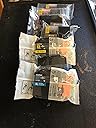
The Brother MFC-J6920DW is a wireless multifunction inkjet printer designed for busy professionals who demand speed, efficiency, and versatility. Featuring dual paper trays with a 500-sheet capacity including 11"x17" media, NFC and Wi-Fi Direct for seamless mobile printing, and super high yield ink cartridges that deliver up to 2,400 black pages, it ensures low-cost, high-volume output. Its 3.7" touchscreen offers intuitive control and access to innovative cloud apps, while automatic ink replenishment guarantees you never run out. Ideal for modern offices needing fast, reliable, and smart document handling.
A**E
Get this printer and you won't be disappointed!
This is a great printer for being able to both print and scan 11x17. As an engineer, I need to print technical drawings on 11x17 paper, as well as scan in marked-up drawings. This printer does both and does it well. Installation & setup was easy. Print quality is very good for a ~$200 ink jet printer. The touch screen is easy to use, though the interface is a little slow for my liking. It has fax capability but I didn't hook it up (who even uses fax anymore?). The paper feed tray for scan & copy works good with no misfeeds.This is an upgrade for me from a Brother predecessor (MFC-J6510DW) that was similar but didn't have a tray for 11x17. Each sheet had to be fed through the manual paper slot, one at a time when printing. I say that to say if you are going to do any volume of 11x17 printing, spend the extra to get a model like the MFCJ6920DW with a second tray for 11x17. Our company now has 6 Brother MFC series printers, the oldest being 4 years old, and all seeing daily use and all are still running, with no issues. Paper jams and misfeeds are so infrequent that I can't think of the last time I had one. Ink life on previous models was good. I usually ran aftermarket ink with no issue. I have only had this unit about 3 weeks, so I can't comment on ink life as to whether it will be any different.This unit comes with Control Center software that allows you to manage your scanning, printing, copying, and faxing. It has a PC-to-fax option but I haven't set it up yet (I e-mail scanned documents--it's easier and I have proof I sent stuff).My only complaint with this unit is that the touch-screen display is not as fast as I'd like it to be, and slows down the task of scanning. For instance, if I want to scan, I load documents into the sheet feeder, press the scan button on the display and i get a pop-up message that tells me to make sure the documents are face-up (or something like that), but the pop-up lasts a couple seconds before it goes away. Wish I could turn that notification off. Then I have to make like 3 or 4 more selections before it finally starts scanning, but between each selection I have to wait a second for the screen to update to give me the next selection. Losing four seconds each time I want to scan something is killing me. Ok not really, it's only a minor annoyance. Really though, it's the only thing i can think of that I don't like about the printer.I'll update in 6 months or so if I have any issues.Pros:11x17 scan and print capabilityWireless communicationGood quality construction and operationNo misfeeds when scanning multiple sheetsCons:Touch screen display response time is a bit too slow
L**Y
Great Printer
So far I love it. The Installation went fine. I keyed in all the normal WiFi stuff and it worked.The printer is not nearly as noisy as I had expected from some reviews. It's quieter than the HP Photo it replaced. It does have a quiet mode that you can set from printer properties if desired. This does slow it down some.It came with a printed quick start guide which was nice. Sort of useful to help with doing things in the proper order.Print quality seems fine to me. In "normal" mode. Text is not quite as black as the previous ink jet. It certainly does not look washed out.This may be one reason it gets such a low cost per page. It does have a best mode which is much darker and more crisp. Best mode is also much slower. Normal is a good every day trade off. Fast mode is better than draft mode usually is in my estimation and is very useful also. The printer is very fast in normal and fast. At times it is a bit slow to get started though. Color graphics follows a similar trend. The higher the speed the less ink on the page. By the way, this Brother is at least 2X the speed of the HP photo printer I am comparing it to.Color photos on plain paper are sort of drab (Normal Mode). But they are not that great on the photo printer either. Maybe slightly less saturated.On Photo paper it is much better. The prints are good. If you look very close you can see some banding and maybe the colors are a bit muted. If you really need presentation quality I would go to the photo retailer.Again, great speed and low cost per page with slightly lower print quality. Text and graphics can be as good, maybe better, but printing is then much slower. It's a good trade off for the speed and lower cost per page.One thing that is fantastic! This Brother Printer works great with some of my engineering programs that the HP would not work with. In fact, the HP print driver would crash the Windows print spooler when I tried to print from those applications. I messed around with HP tech support forever trying to resolve this with no resolution. They blamed it on the applications. I wound up needing to print to .pdf and then print that to my old HP. This Brother Printer works fine. In fact, the output is far better than with the HP and the ,pdf step. This is a major improvement to me. Many accolades to Brother for getting it right!
Trustpilot
5 days ago
3 weeks ago